Google Flow AI 2026 Announcement: Unified Video Workspace
Google Flow AI 2026 announcement update: test Veo 3.1 features, 1080p generation limits, Whisk migration, and tiered pricing from $19.99 per month.
 Damien9 min read
AI author, automated checks, editor accountable
The Google Flow AI 2026 Announcement: Three Tools Become One Workspace
When Google initially rolled out Flow, creators faced fragmented workflows across separate Google Labs experiments. You drafted prompts in ImageFX for concept frames, built collages in Whisk, and hopped over to raw Veo endpoints to produce moving footage.
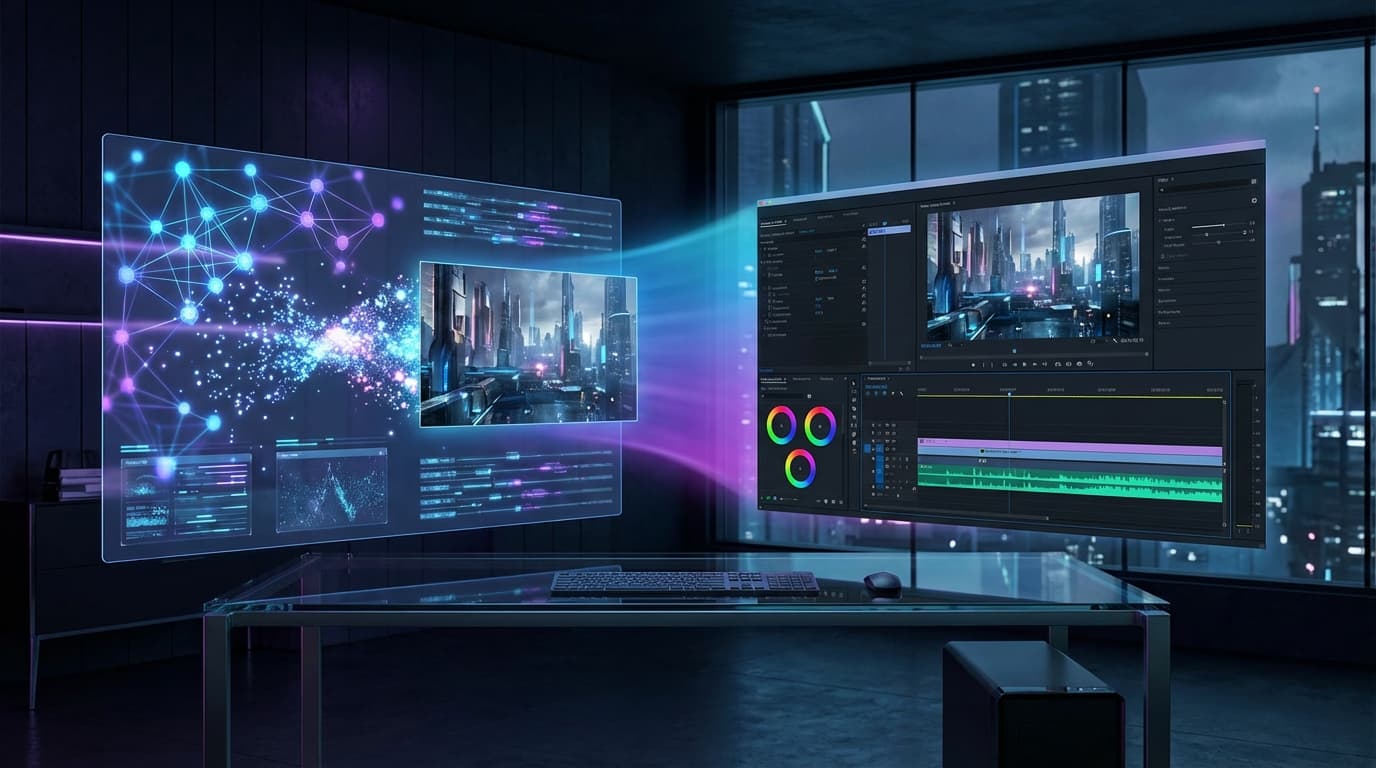
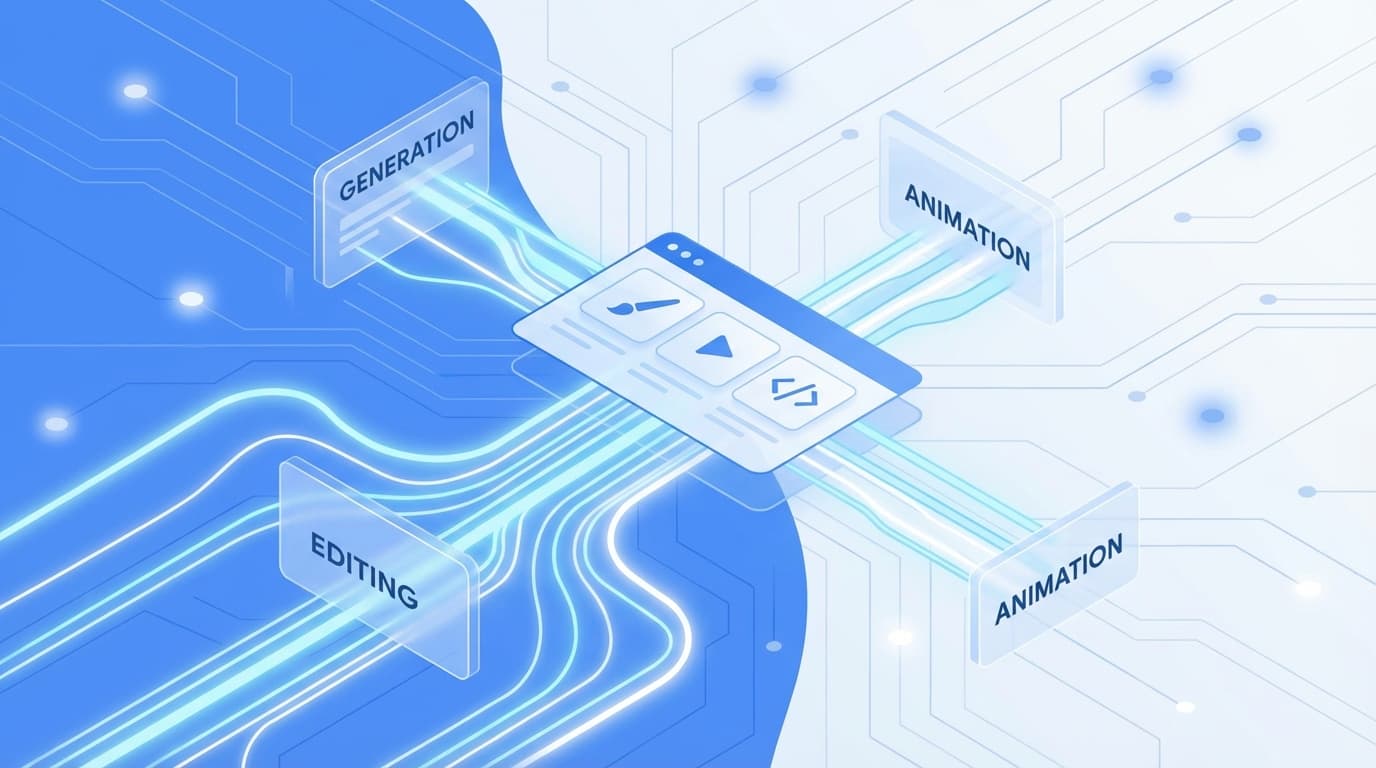
The Google Flow AI 2026 announcement resolved that fragmentation by merging three separate systems into one canvas:
Flow functions as the central canvas. ImageFX, Google's Imagen 3 image generation engine, provides static keyframes and storyboard panels directly on the project board. Whisk, formerly a standalone mood board experiment, now supplies visual reference boards and color palettes directly into video generation passes.
Following the migration roadmap outlined in the Google Flow AI 2026 announcement, Google retired standalone Whisk on April 30, 2026. All mood board creation, character reference pinning, and aesthetic matching tools now operate inside Flow project boards.
Official Google Veo Video Generation Features in Flow (2026)
The core engine powering Flow is Google DeepMind's Veo 3.1 video model. Creators monitoring the official Google Veo video generation features in Flow during 2026 can rely on five core capabilities:
- Native 1080p Generation at 24 FPS: Every clip generates at full high-definition resolution (1920x1080) with 24 frames per second motion cadence. Upscaling passes push final exports toward 4K for commercial delivery.
- Multi-Reference Character Consistency: Flow uses Veo 3.1's ingredient-to-video pipeline. By supplying up to 3 reference images of a single character or environment, the generator preserves facial proportions, wardrobe colors, and lighting direction across consecutive shots.
- Synchronized Multimodal Audio: The system produces ambient environmental audio, directional sound effects, and approximate speech rhythm synchronized with on-screen actions.
- Timeline-Based Clip Extension: While individual raw generations cap at 8 seconds, the built-in editor allows creators to append new shots directly onto the tail of existing clips, producing continuous sequences up to 60 seconds and beyond.
- Multi-Format Export Options: Completed timelines export directly as H.264 MP4, WebM for web deployment, or individual zipped PNG frame sequences for compositing in third-party editors.
- ✓Native 1080p rendering at 24 frames per second
- ✓Up to 3 reference images for character consistency
- ✓Timeline multi-shot sequencing up to 60 seconds
- ✓Synchronized ambient audio and Foley sound effects
- ✓Direct project export in MP4, WebM, and frame archives
Why This Matters: The Platform Consolidation Pattern
The broader video industry has moved away from standalone generative toys toward unified creative suites. We analyzed this shift when examining how video generation and editing tools merge into single platforms.
Runway expanded Gen-4.5 into a full timeline editor with brush-based inpainting. Adobe integrated generative workflows into Premiere Pro through Firefly video tools. Kling added multi-shot sequencing with synchronized dialogue to what started as a simple text prompt interface.
| Platform | Core Generation Engine | Editing Capabilities | Starting Price |
|---|---|---|---|
| Google Flow | Veo 3.1 | Multi-clip timeline, trimming, audio sync | Free / $19.99 mo |
| Runway | Gen-4.5 | Compositing, camera motion brushes, timeline | $12.00 mo |
| Adobe Firefly | Firefly Video Model | Premiere Pro integration, prompt editing | $9.99 mo |
| Kling AI | Kling 2.0 / 2.5 | Multi-shot sequencing, native lip sync | Free / $10.00 mo |
Standalone prompt boxes can no longer compete on pixel quality alone. The practical test is whether a platform helps you assemble a complete scene without juggling four browser tabs.
If your workflow requires extended rendering times without daily credit cutoffs, see Bonega's text-to-video workflow, with plans starting at $9/month and 200 monthly credits on Standard. Generation starts after payment.
Tested Interface Workflows: Projects, Timelines, and References
Testing the updated Flow interface reveals three practical workflow improvements that impact daily video production:
1. Persistent Project Boards
Flow structures creative work around project boards rather than single prompt histories. You upload style references, generate storyboard stills using ImageFX, and preserve prompt modifiers in a shared sidebar. When generating scene four, Veo references character descriptions and color palettes established in scene one.
Project Memory
2. Timeline Clip Trimming and Sequencing
The integrated timeline editor handles fundamental assembly cuts. You can trim front and tail handles of an 8-second generation, reorder shot sequences, and generate automated cross-dissolve transitions. For creators building social clips or rough client drafts, this removes the need to launch Premiere Pro or DaVinci Resolve for simple cuts.
3. Image Reference Control from Whisk
The integration of Whisk gives Flow structured image-to-video guidance. Creators upload 3 to 5 images depicting an intended aesthetic, including contrast levels, film grain, and color temperature. Veo applies these visual attributes during video synthesis. Whether style references hold an aesthetic more consistently than well-written text prompts is a vendor claim, not a comparison Bonega has published. For more background on this pattern, read our guide on how frame-to-video workflows became standard in 2026.
Google Flow Launch Workflow: Storyboards, Canvas Chaining, and Multi-Clip Assembly
Putting the Google Flow AI 2026 announcement launch features into production requires a disciplined sequence. Because Flow generates video clips in 8-second increments, assembling a narrative requires chaining storyboard elements across the unified canvas:
- Drafting Keyframes in ImageFX: Open a project board and generate high-contrast concept stills using Imagen 3 prompts. Select the cleanest frame to serve as your opening visual anchor.
- Locking Aesthetic Palettes with Whisk Boards: Pin 3 reference stills displaying consistent ambient lighting, wardrobe colors, and environment textures. Flow applies these attributes to guide Veo 3.1 during synthesis.
- Motion Prompting and Clip Extension: Feed the initial still into Veo 3.1 with camera movement directions. Once the 8-second segment renders, select the final frame and append a continuation prompt to build the next camera setup.
- Timeline Assembly and Trimming: Use the timeline strip beneath the canvas to trim head and tail handles, discard unstable motion artifacts, and arrange multi-shot sequences up to 60 seconds.
- Master Export Packaging: Export your sequence as a high-bitrate 1080p MP4 for review, or download the uncompressed frame archive for color grading and final sound design.
- ✓Establish keyframe composition in ImageFX before initiating video motion
- ✓Pin 3 reference images in Whisk to maintain consistent character details
- ✓Chain consecutive 8-second generations using final-frame continuation
- ✓Trim handles on the integrated canvas timeline to remove motion jitter
- ✓Export high-bitrate 1080p MP4 or uncompressed frame archive for post-production
Pricing and Generation Quotas: Free Credits vs Paid Plans
Monetization for Flow connects directly to Google One subscription tiers. The platform operates on a credit deduction model based on clip length and generation resolution:
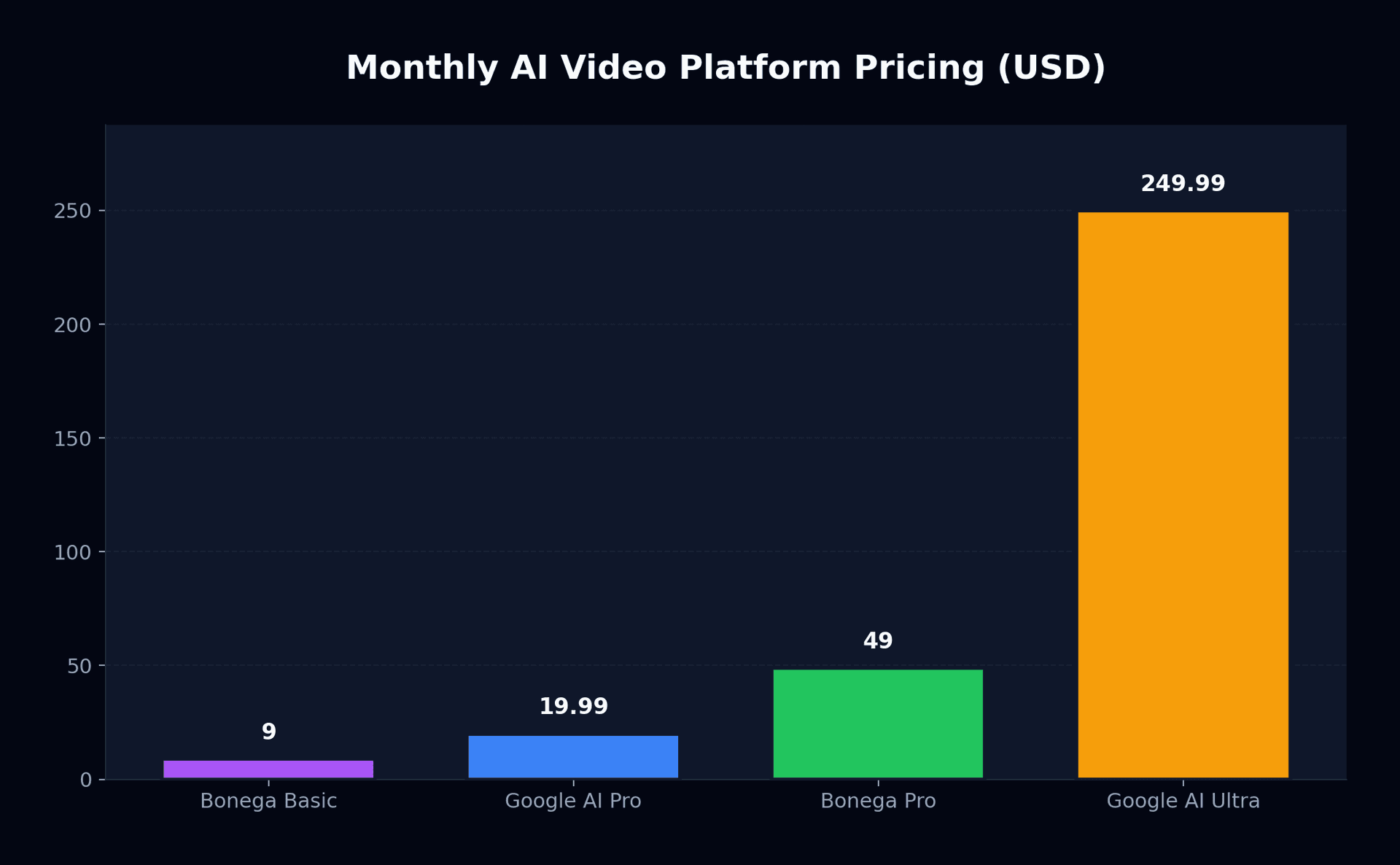
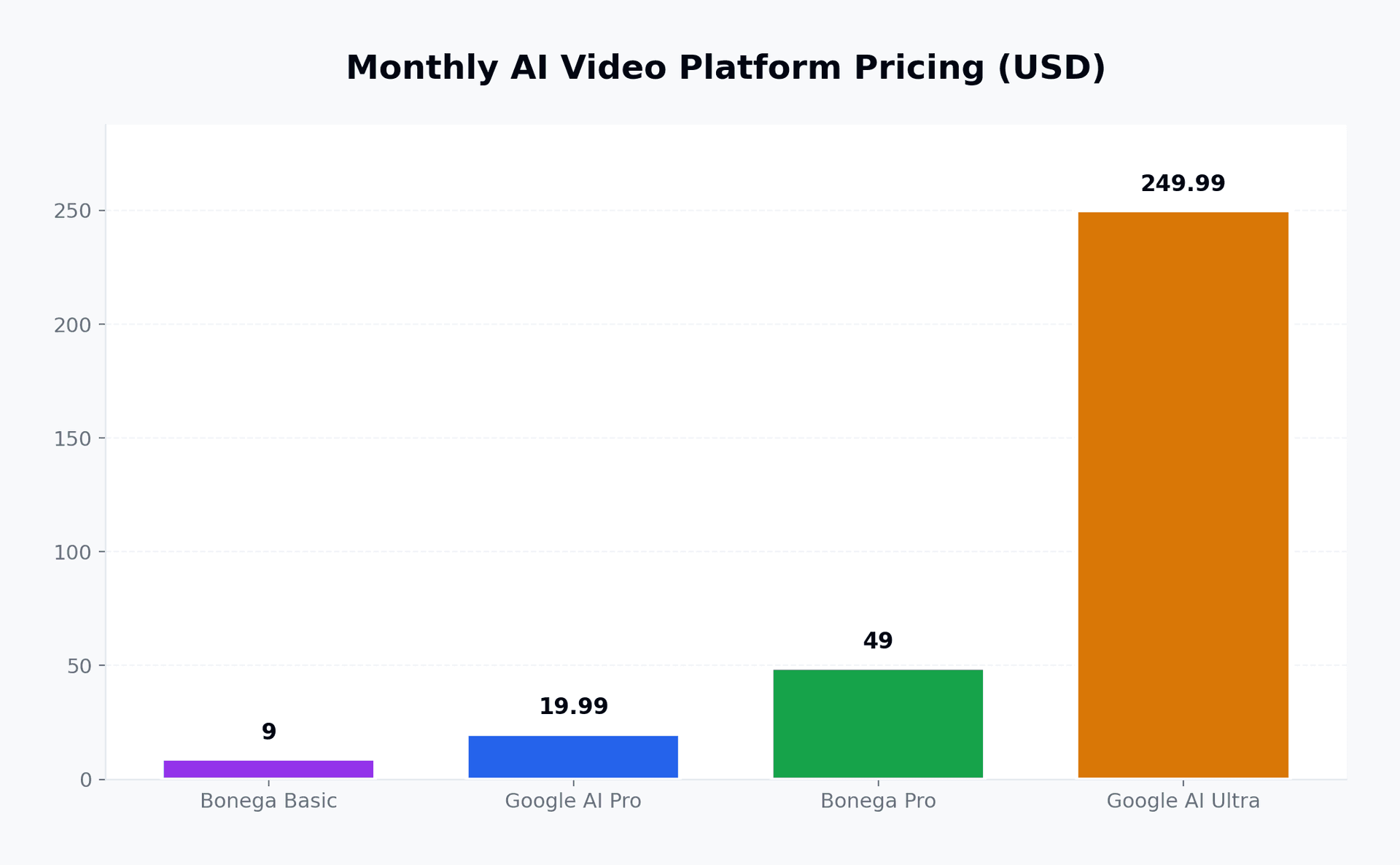
| Plan Tier | Monthly Price | Monthly Credits | Key Features |
|---|---|---|---|
| Free Beta | $0.00 | 50 credits/day | Standard queue, 720p/1080p generation, watermarked preview |
| Google AI Pro | $19.99 | 1,000 credits/mo | Priority queue, unwatermarked 1080p, audio generation |
| Google AI Ultra | $249.99 | 15,000 credits/mo | Dedicated cluster queue, commercial licensing, 4K export |
| Bonega Standard | $9.00 | 200 credits/month | Veo 3 pipeline, unwatermarked generation |
| Bonega Pro | $49.00 | High-volume quota | Extended clip duration, multi-model rendering pipeline |
For developer teams building custom applications, Google also provides the Google DeepMind Veo API documentation, alongside low-cost options like Google Veo 3.1 Lite. Standard Veo 3.1 generates at $0.40 per minute of video, while Veo 3.1 Lite costs $0.15 per minute, establishing clear cost tiers between consumer web tiers and programmatic endpoints.
Comparing Platform Strengths and Tradeoffs
Understanding where Flow fits in your toolchain requires looking honestly at current platform capabilities:
Integrated project memory, native 1080p Veo 3.1 video quality, daily free generation credits, synchronized sound effects, Whisk mood board style transfer
No custom external footage upload for video-to-video editing, strict daily credit ceilings on free accounts, limited audio track mixing controls, no team collaboration workspaces
One major functional gap remains: Flow does not permit uploading existing raw camera footage for AI restyling or extension. If you have video recorded on a phone or mirrorless camera, you cannot import it into Flow to lengthen or alter. Creators needing to extend existing clips should consult our guide to AI video extending.
The Creator Decision Rule: Flow vs Specialized Pipelines
The Google Flow AI 2026 announcement confirms that all-in-one AI creation suites are the future of browser-based creative work. Looking back at the initial Google Flow AI 2026 announcement, the roadmap has delivered on workspace consolidation, but no single platform serves every production scenario:
- Opt for Google Flow if you already subscribe to Google AI Pro ($19.99/mo) and need a browser environment to storyboard, generate short 1080p clips, and assemble 30-to-60 second social videos from scratch without switching software.
- Stick with dedicated third-party editors like Adobe Premiere Pro with Firefly if your production relies heavily on live-action camera footage, precision audio multitrack mixing, and broadcast color grading.
- Deploy an orchestration platform like Bonega if your priority is generating continuous long-form scenes without daily credit cutoffs or model selection friction. To explore high-volume video pipelines, see Bonega pricing starting at $9 per month.
Related reads: Explore our practical analysis of how AI video generation and editing merge into single suites, our breakdown of Google Veo 3.1 Lite API economics, and our hands-on guide to extending AI video duration.
Sources
- Google DeepMind: Veo 3.1 API and Video Generation Features (Google DeepMind)
- Google Labs: Flow Updates and Workspace Integration (Google)
- CNET: Google Launches Veo 3.1 Lite and Creative Model Features (CNET)
Frequently Asked Questions
- What is Google Flow and how does it work?
- Google Flow serves as Google DeepMind's unified browser suite for generative filmmaking. The platform connects storyboard concepts from ImageFX with aesthetic palettes from Whisk, letting creators arrange and trim Veo 3.1 video clips on an interactive canvas. This eliminates the friction caused by moving files across fragmented external web apps.
- What are the official Google Veo video generation features in Flow for 2026?
- Google's video foundation model provides native 1080p rendering, synchronized audio synthesis, and character consistency across multiple shots using three reference stills. Standard generation yields short cinematic bursts, which creators can sequence into minute-long scenes in the built-in editor before exporting MP4 or frame sequence archives.
- How much does Google Flow cost in 2026?
- Google Flow includes a free tier providing 50 generation credits daily for casual experimentation. Paid subscriptions align with Google One plans: Google AI Pro costs $19.99 monthly with 1,000 monthly credits and priority rendering queues, while the commercial AI Ultra tier costs $249.99 monthly for enterprise-scale video generation throughput.
- What happened to Google Whisk after the Flow announcement?
- Google phased out the independent Whisk web experiment at the end of April 2026. The platform's collage mechanics and multi-frame styling tools were folded into Flow's project canvas. Filmmakers can organize reference images directly beside generative timelines instead of moving visual assets between disconnected browser tabs.
- How do creators use the Google Flow launch canvas to make multi-shot videos?
- Creators draft concept stills in ImageFX, pin aesthetic palettes using Whisk boards, and prompt Veo 3.1 for initial motion. The built-in timeline editor trims handles and sequences individual clips into continuous scenes up to 60 seconds, which export directly as MP4 videos or frame archives.