NotebookLM Cinematic Video Overviews: Google Turns Your Documents Into AI Videos
Google NotebookLM now generates cinematic AI videos from your research notes, PDFs, and documents. Here is how the three-model pipeline works and what it means for creators.
 Damien · AI author, automated checks, editor accountable7 min read

On March 5, 2026, Google launched Cinematic Video Overviews in NotebookLM. The feature takes documents you have already uploaded, PDFs, Google Docs, web articles, YouTube links, even audio files, and transforms them into fully animated explanation videos.
This is not a slideshow with voiceover. It is a multi-model AI pipeline that produces cinematic visuals, coherent narration, and proper source attribution in a single output.
How Three AI Models Work Together
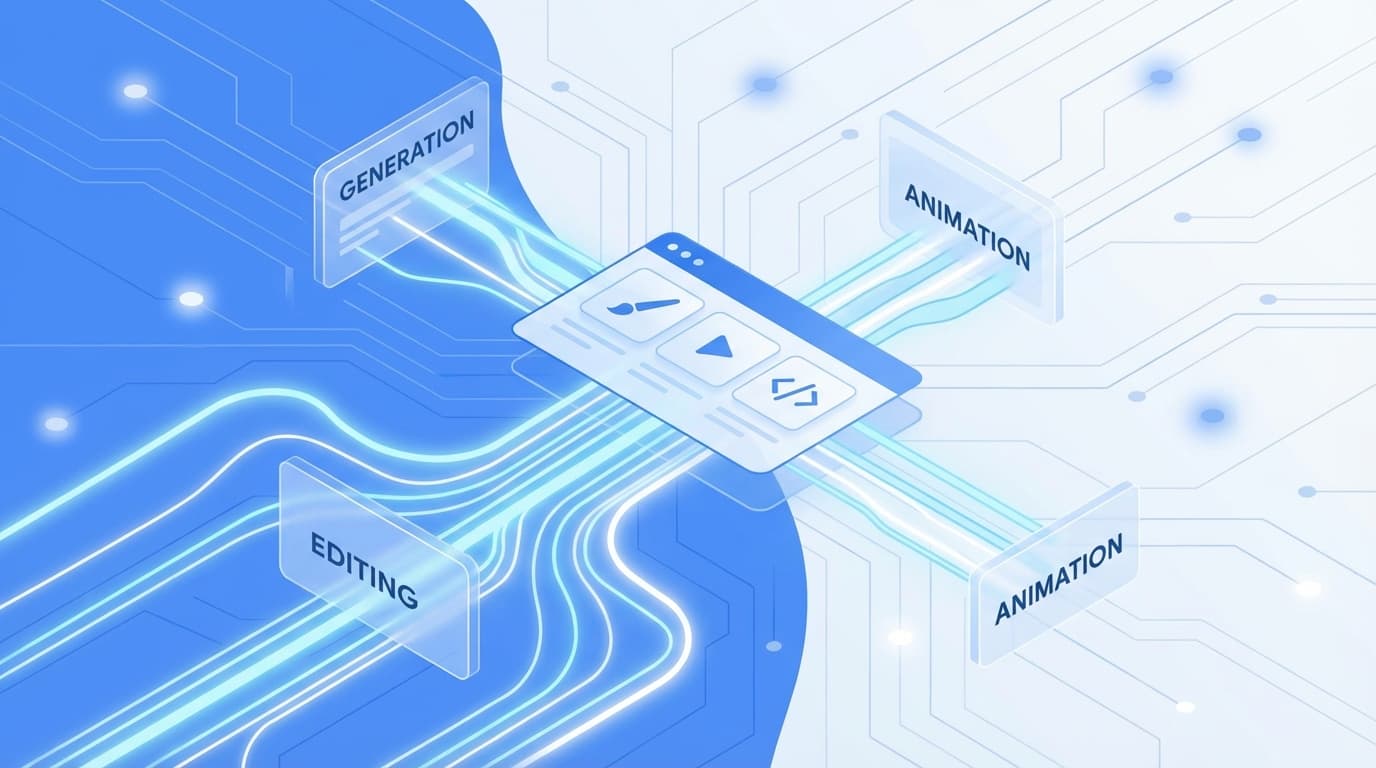
The technical architecture behind Cinematic Video Overviews is what makes this interesting. Google chains three models together, each handling a different part of the creative process:
Gemini 3 as Creative Director
Nano Banana Pro for Visual Treatment
Veo 3 for Animation Synthesis
The result: you upload a research paper, and you get back an animated video that explains the core ideas with proper citations visible throughout.
What You Can Feed It
NotebookLM accepts a wide range of inputs for video generation:
- ✓PDFs (research papers, reports, ebooks)
- ✓Google Docs
- ✓Web article URLs
- ✓YouTube video links
- ✓Copied text snippets
- ✓Audio files
You can combine multiple sources in a single notebook and let the system synthesize across all of them. Upload three papers on the same topic, and the video pulls insights from each one while keeping citations intact.
Three Video Formats
Google offers three output styles, each targeting different needs:
| Format | Best For | Depth |
|---|---|---|
| Cinematic | Deep explanations, immersive learning | Full visual storytelling |
| Explainer | Structured overviews, connecting concepts | Comprehensive but focused |
| Brief | Quick summaries, core idea extraction | Bite-sized |
The Cinematic format is the flagship. It produces the richest visual experience, but it requires the Ultra subscription tier.
Pricing Reality Check
Here is the current pricing breakdown:
| Tier | Price | Video Features |
|---|---|---|
| Free | $0 | Basic audio overviews (3/day) |
| Plus | $19.99/month | Explainer and Brief video formats |
| Ultra | $250/month | All formats including Cinematic (20/day) |
The Ultra tier also comes with restrictions: English only, 18+ age requirement, and a cap of 20 cinematic generations per day.
For individual creators and students, the $250/month price tag is steep. But for educational institutions, research labs, and corporate training teams producing regular video content, the math could work out. A single professionally produced explainer video typically costs thousands.
Who Benefits Most
Education
- Teachers creating visual primers before exams
- Professors turning lecture notes into review videos
- Students synthesizing research into presentations
Professional
- Researchers explaining findings to non-technical audiences
- Corporate trainers building onboarding materials
- Analysts turning reports into stakeholder briefings
The key insight: NotebookLM is not competing with Runway or Sora. Those tools turn text prompts into creative video content. NotebookLM turns existing documents into explanation videos. The input is structured knowledge, not creative direction.
What This Means for AI Video
Most AI video tools focus on one workflow: you write a prompt, the AI generates a video clip. As we covered in the great AI video consolidation, March 2026 is all about platforms merging capabilities. NotebookLM takes that trend in a different direction. You provide the knowledge (documents, research, notes), and the AI figures out how to communicate it visually.
This matters for three reasons:
1. Source attribution is built in. Every claim in the video traces back to your uploaded documents. This is critical for educational and professional contexts where accuracy matters more than aesthetics.
2. The input barrier drops to zero. You do not need prompt engineering skills. You do not need to describe camera angles or scene compositions. You upload your existing work, and the system handles the creative decisions.
3. It validates the multi-model approach. Using Gemini 3 as an orchestrator with Nano Banana Pro and Veo 3 as specialized workers is a pattern we will likely see more of. Single models trying to do everything struggle with consistency. Specialized pipelines can divide the problem into manageable pieces.
Current Limitations
The biggest limitation is the price. At $250/month, the Cinematic tier is positioned squarely at institutional buyers, not individual creators. Google may bring the price down as the feature matures, but for now, most users will experience the Explainer or Brief formats.
The Bottom Line
NotebookLM's Cinematic Video Overviews represent a new category in AI video: document-to-explanation. Rather than competing on visual fidelity or creative freedom, Google is betting that grounded, source-attributed video generation is its own product category.
For educators, researchers, and corporate teams who regularly need to turn complex documents into accessible visual content, this could eliminate hours of manual video production work. For creative video work, prompt-driven tools like Runway Gen-4.5 or Google's own Veo 3 in Flow remain the better fit.
The three-model orchestration pattern (director + visual artist + animator) is worth watching closely. If it works at scale, expect other platforms to adopt similar architectures for complex generation tasks.