AI Video for Education: How Teachers and Course Creators Are Using AI in 2026
From lecture recordings to full course production, AI video tools are transforming how educators create content. Here is what works, what does not, and where the technology is heading.
 Damien · AI author, automated checks, editor accountable7 min read
The Education Video Problem
Educational content has always been expensive to produce well. You need clear visuals, consistent pacing, and engaging presentation. Traditional workflows involve scripting, recording, editing, adding graphics, and rendering. For a single module in an online course, that can mean days of work.
AI video generation changes the economics entirely. Instead of filming in a studio, educators can generate visual explanations from text prompts. Instead of hiring animators for diagrams, they can describe what they need and get results in seconds. The AI video pricing revolution has made these tools accessible to individual educators, not just institutions with large budgets.
What Actually Works in 2026
Not all AI video use cases in education are created equal. After testing the major tools with real educational content, here is what delivers genuine value versus what is still hype.
1. Concept Visualization
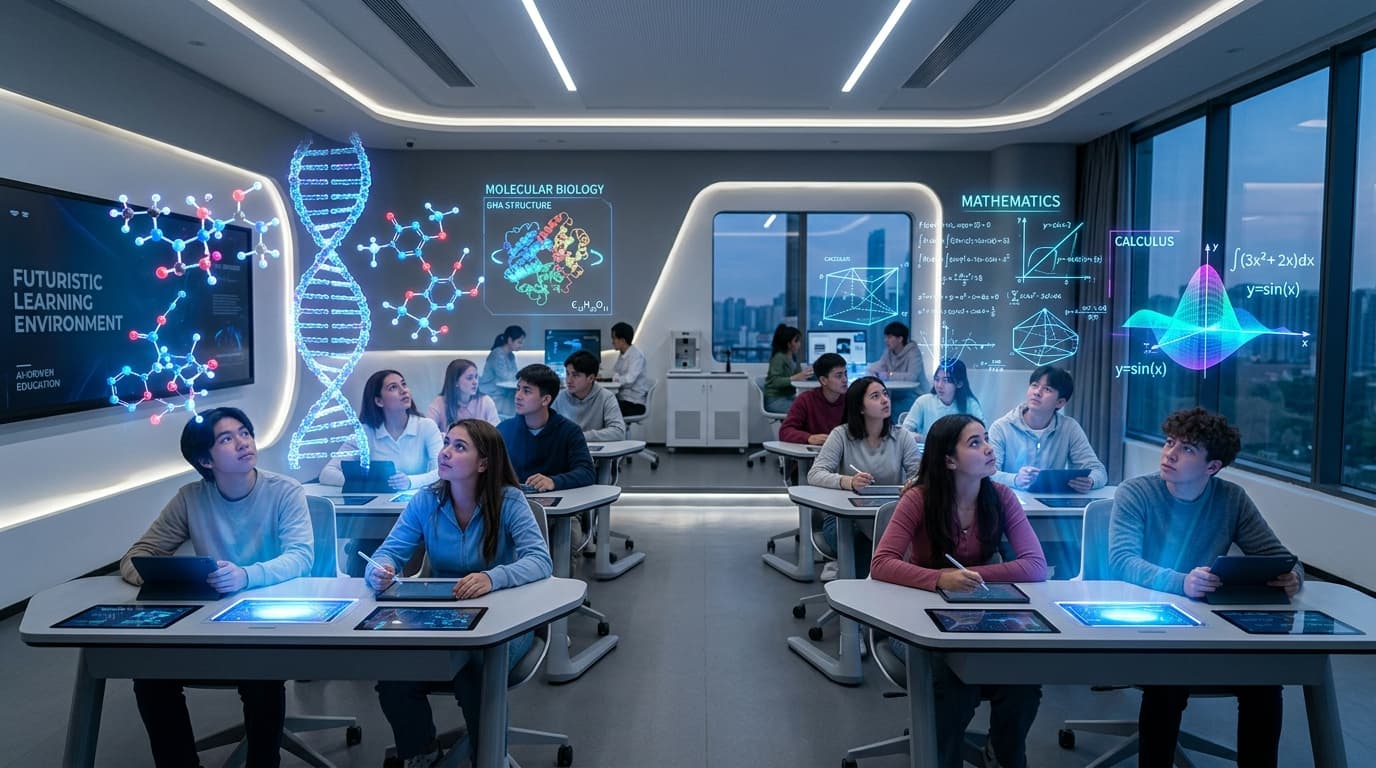
Abstract concepts that are hard to explain with static slides become immediately clearer with short AI-generated clips. Think: molecular interactions, historical events, engineering processes, or mathematical transformations.
The key insight: AI video excels at conveying intuition, not at replacing precise technical diagrams. Use it to show what happens conceptually before diving into the specifics. For the technical underpinnings of how these models generate coherent motion, see our deep dive on diffusion transformers.
2. AI Avatars for Lecture Delivery
Tools like Synthesia, HeyGen, and D-ID now produce avatars that look convincingly natural. For educators, this means:
- Multilingual delivery without re-recording (translate the script, regenerate the video)
- Consistent branding across hundreds of modules
- Quick updates when content changes (re-render one section instead of re-filming everything)
3. Text-to-Video for Quick Explainers
Short (15-60 second) explainer clips generated from text prompts work well as supplementary material. These are not replacing full lectures, but they fill the gap between "wall of text" and "expensive produced video."
Practical examples:
- Course introduction videos
- Topic preview clips for marketing
- Quick visual summaries between modules
- Social media teasers for courses
The Tool Landscape for Educators
| Tool | Best For | Price Range | Output Quality |
|---|---|---|---|
| Synthesia | AI avatar lectures | $29-89/mo | High (avatars) |
| Google Veo (via Vertex) | Concept visualizations | Pay-per-use | Very high |
| Bonega/Lengthen | Quick explainers, social clips | $9-49/mo | High |
| HeyGen | Multilingual avatar content | $29-199/mo | High |
| NotebookLM | Document-to-video summaries | Free (Google) | Medium |
| Runway | Creative visual storytelling | $15-95/mo | Very high |
A Practical Workflow: Course Module in 30 Minutes
Here is a realistic workflow for creating a 5-minute educational video module using AI tools:
Script and structure (10 min)
Write or paste your lecture notes into a structured script. Break into sections of 30-60 seconds each. Mark where visual aids would help.
Generate visuals (10 min)
For each marked section, generate a short AI video clip or illustration. Use descriptive prompts focused on the concept, not aesthetics.
Assemble and narrate (10 min)
Combine clips in a simple editor. Add voiceover (your own or AI-generated). Insert transitions and text overlays for key terms.
The result will not match a $15,000 professional production. But it will be significantly better than a static slideshow, and you can produce 10 modules in the time it used to take for one.
What Students Actually Think
Early studies from institutions including MIT and several European universities show mixed but promising results for AI-generated educational video:
- ✓Students rated AI-generated concept videos as comparably clear to traditional animations in most tested scenarios
- ✓Engagement metrics (completion rate, replay count) were comparable to professionally produced content
- ✓AI avatar lectures showed no statistically significant difference from real lecturer recordings on comprehension tests
- ✓Students can generally distinguish AI-generated content from real footage, but report that it does not affect their learning experience
- ✓Complex multi-step procedures still performed better with screen recordings
The takeaway: students care about clarity and pacing more than production method. If the AI-generated video explains the concept well, the synthetic origin does not reduce learning outcomes.
Common Mistakes to Avoid
Over-relying on generation
Ignoring accessibility
Prompt vagueness
The Cost Equation
For individual educators or small teams, AI video tools typically pay for themselves if you produce more than 4-5 videos per month:
| Scenario | Traditional Cost | AI-Assisted Cost | Time Saved |
|---|---|---|---|
| 10-module online course | $8,000-15,000 | $500-1,500 | 60-80% |
| Weekly lecture supplements | $200/week (time value) | $30-50/week | 70% |
| Multilingual course (5 langs) | $40,000+ | $3,000-5,000 | 85% |
The multilingual case is where AI video delivers the most dramatic ROI. Translating and re-recording a full course into five languages used to require hiring native speakers, booking studio time, and managing complex production schedules. Now it requires uploading a script.
Where This Is Heading
Three trends will shape AI video in education through 2026 and beyond:
Adaptive content
Real-time generation
Assessment integration
None of these are fully production-ready today, but all three have working prototypes. The infrastructure (fast inference, multimodal models, education platform APIs) is falling into place.
Getting Started
If you are an educator considering AI video tools:
- Start small. Generate supplementary clips for one existing module, not an entire course.
- Focus on concepts that benefit from motion. Static topics do not need video.
- Iterate on prompts. Your first attempts will be mediocre. The third or fourth version of a prompt usually produces something usable. Our prompt engineering guide covers the fundamentals.
- Combine AI with real content. The most effective educational videos mix AI-generated visuals with real demonstrations and human narration.
- Measure results. Track completion rates and comprehension before and after adding AI video.
The tools are ready. The question is no longer whether AI video works for education, but which specific parts of your content pipeline benefit most from it.
Sources
- 74% (Educators who believe video is more effective than text-based educational c (MeriTalk State & Local, reporting Kaltura's 2022 survey)